
From clothing photos to an on-model outfit: a worked example
A burgundy T-shirt, brown trousers and gold shoes. This saved example shows how source photographs connect to the main outfit image, additional views and outfit boards.
This is a demonstration by Fitting Room. It shows the workflow and materials, not a customer case study with measured sales or verified fit.
Source photographs: what went into the outfit
The three main product photographs are shown below. This example also used the T-shirt back, separate detail photos, model references and a background. These three photographs are not the complete set of inputs.
- Shown on this page
- Front views of the T-shirt and trousers, plus a photo of the shoes. Compare colour, length, lettering and shoe shape with the outputs.
- Additional inputs
- This example also used the T-shirt back, close-ups, model references and a background. They are not shown here, so this page does not let you verify the full reference set.
- What has not been measured
- Attempt count, review time and the proportion of accepted images are not confirmed. This example does not establish average cost or the likelihood of a usable result.
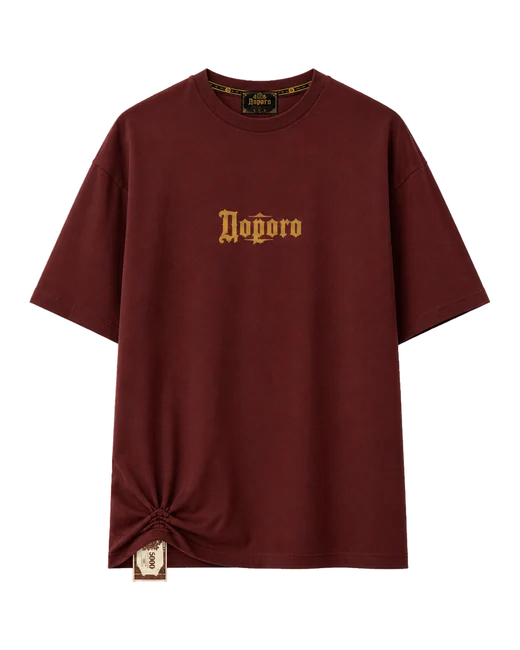
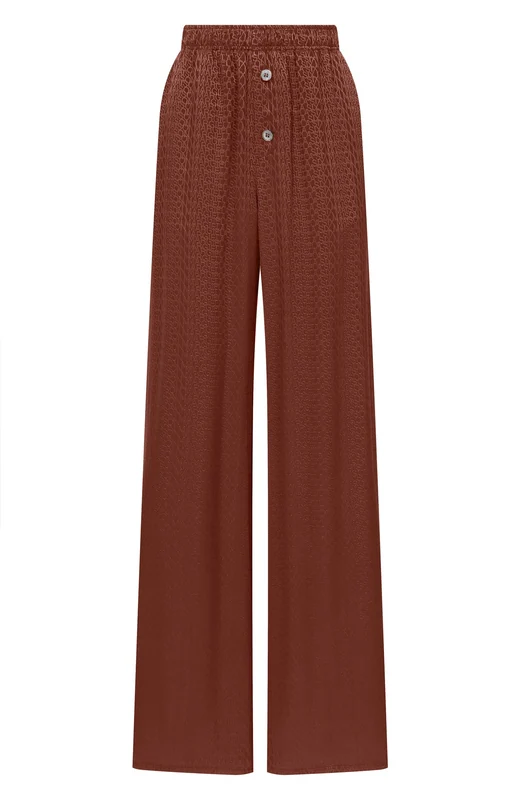
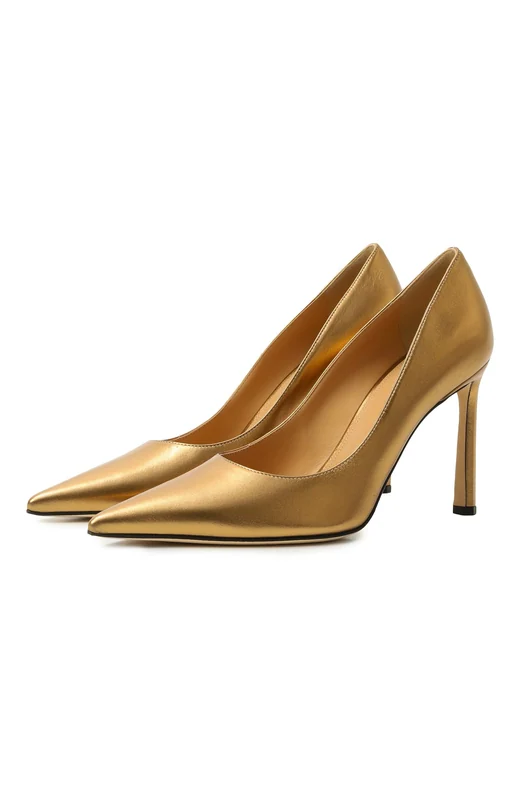
The main image establishes the look
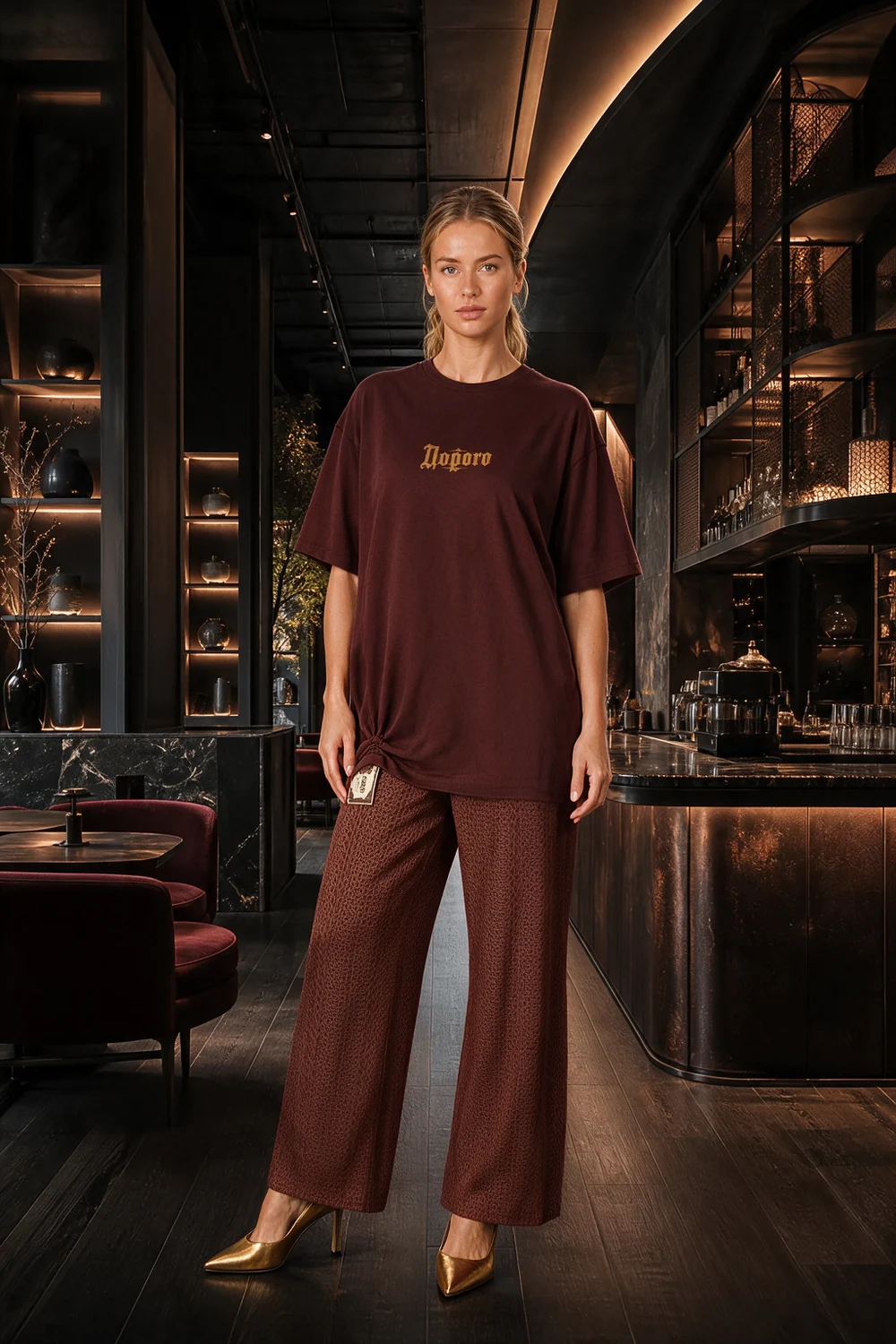
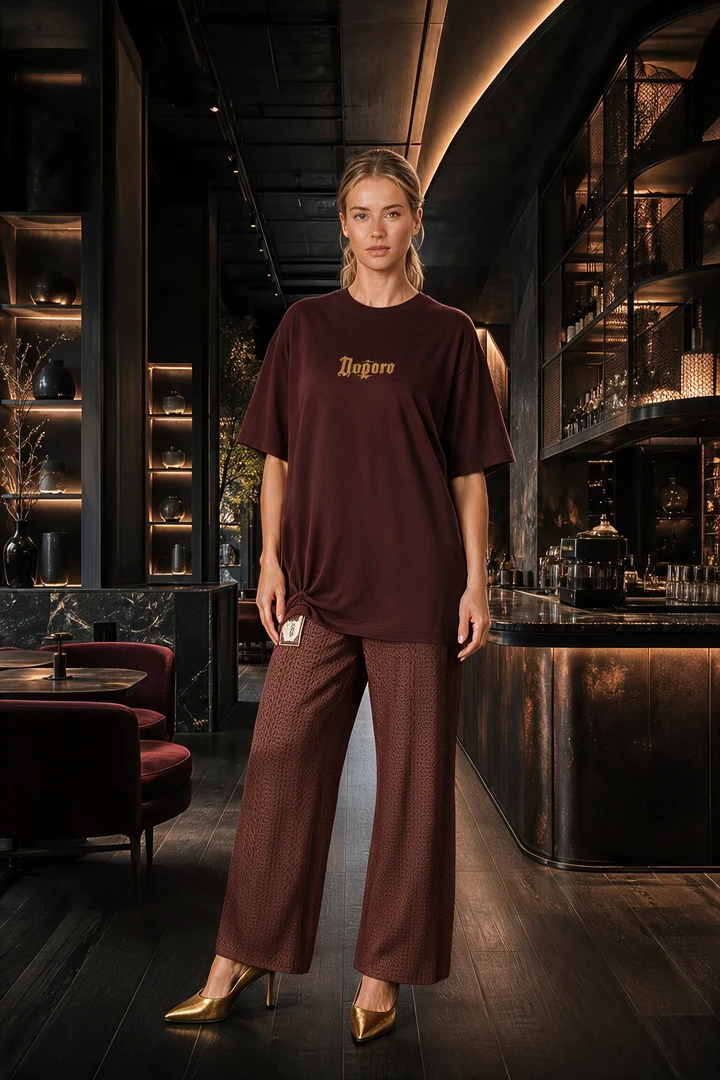
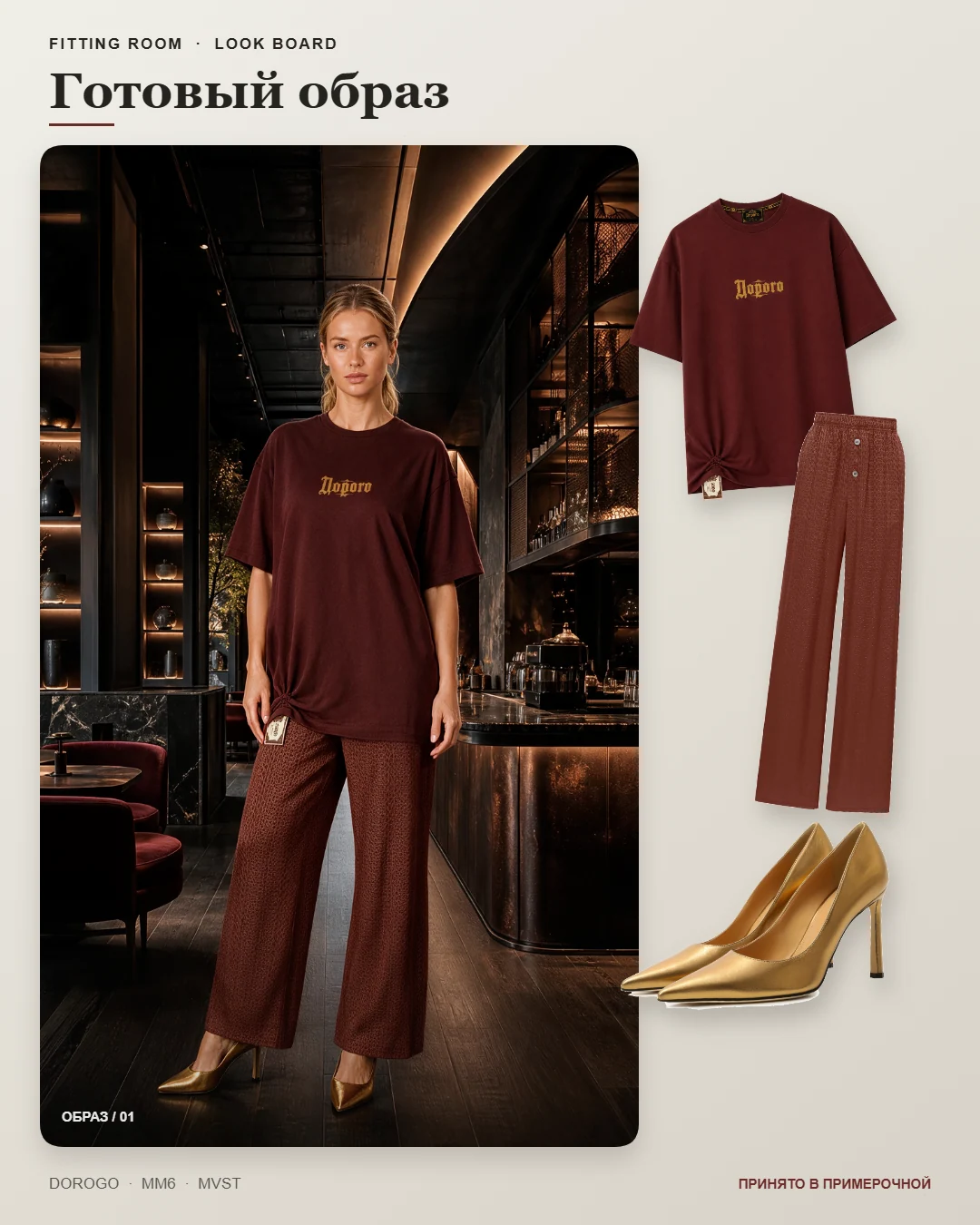
An outfit image on a virtual model in a dark café was created from the product photographs. This is a generated image: compare it with the actual items, especially lettering, decorative details and length.
Views show the outfit from different sides
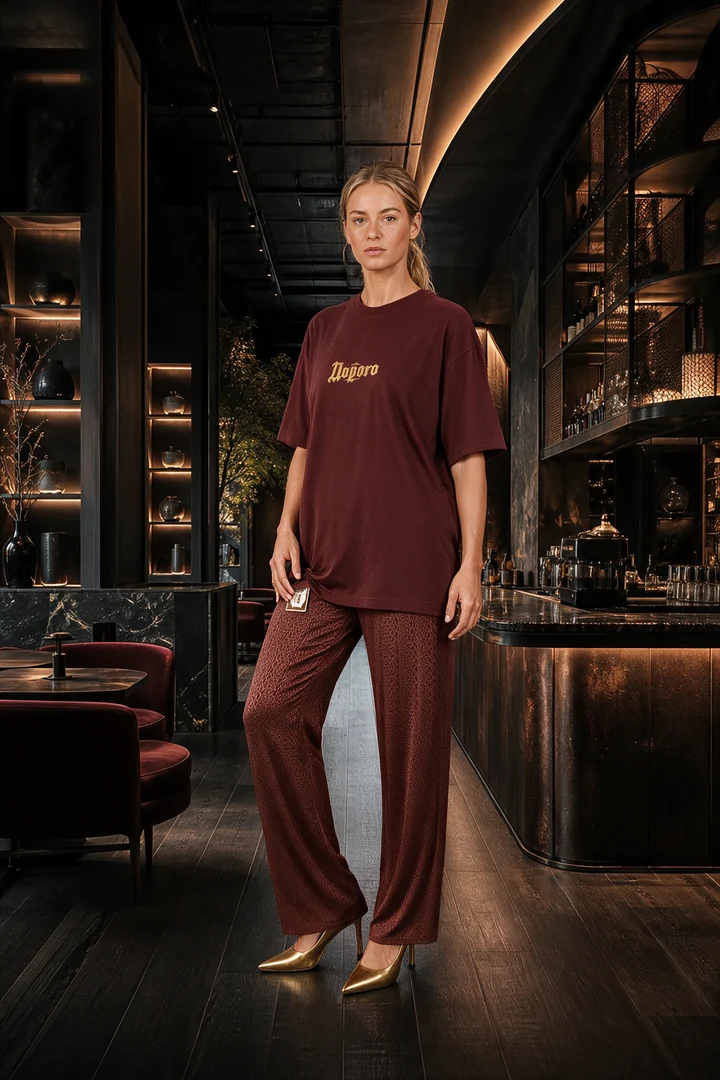
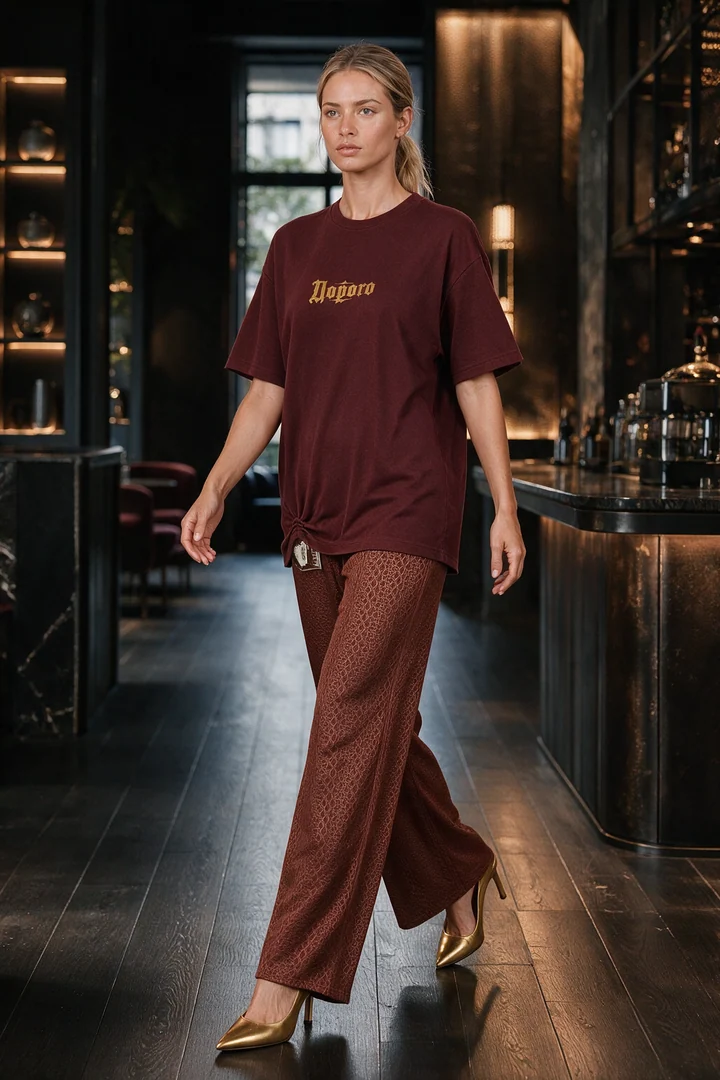
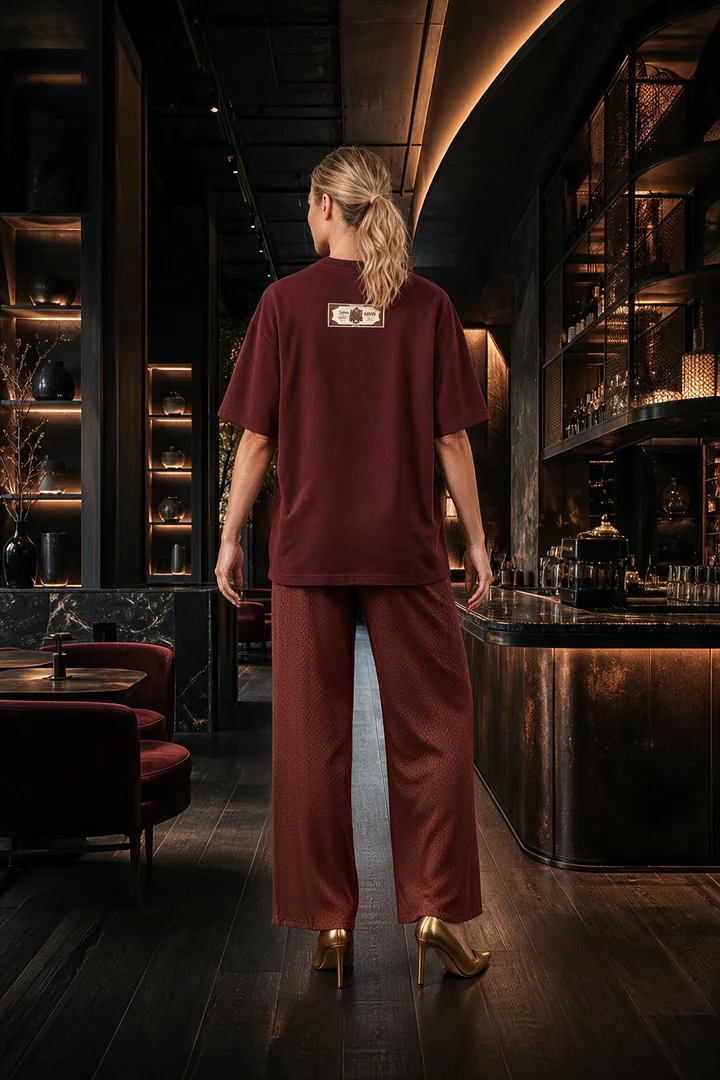
This example includes four additional images. In the workspace, you can select one to four views. The back view below is a generated result, and the movement pose is a still image, not a video.
Two ways to show the outfit contents
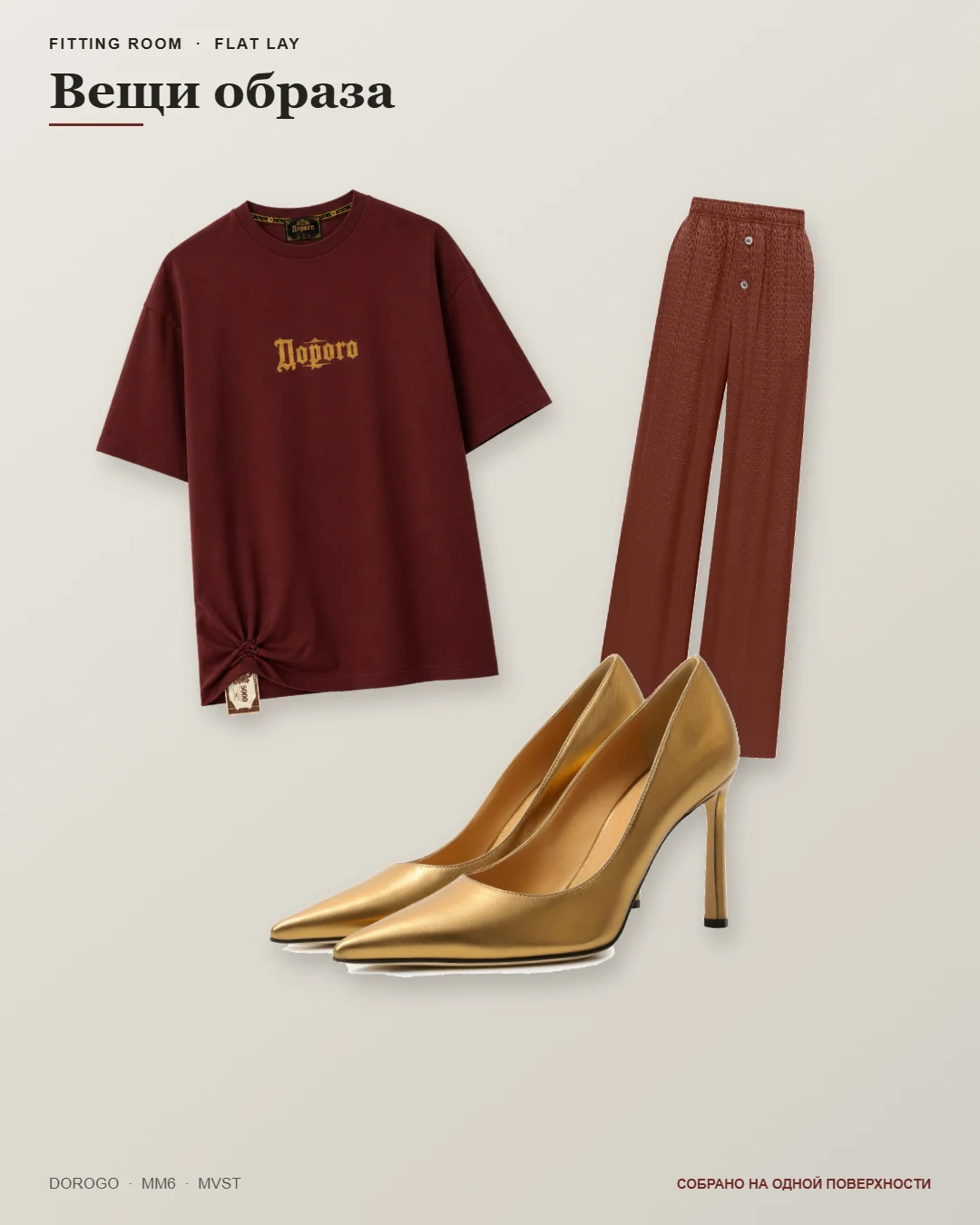
A look board combines the on-model image with the individual items beside it. A flat lay shows the outfit contents without the model. This flat lay is also generated by the service; it is not a source photograph of a physical arrangement.
What this example demonstrates
Compare the burgundy T-shirt, chest lettering, knot at the hem, brown trousers and gold shoes. Open the images at full size: a detail being present does not prove that its shape, shade or lettering matches exactly.
The number of attempts behind this saved example is not confirmed. We do not claim it was produced on the first attempt or use it as a service-wide quality score.
This is AI-generated content, not a size or fit check for a real shopper. Before publishing, check colour, cut, print, hands and shoes; replace any image with distortions.
What to review before use
This sequence documents where the materials came from, but does not prove every detail is accurate. Select suitable outputs and keep real product photos for comparison. You can download reviewed materials; direct publishing is available to a connected Telegram channel after you check the images and caption.
- Silhouette and length: do the garment proportions match the real item?
- Colour, pattern and lettering: did the shade, print or text change?
- Front and back: are pockets, decoration, fastenings and slits in the right places?
- Shoes: do the shape, sole and heel match the source pair?
Try the workflow with your own products
Prepare photos of one outfit using the guide. Then discuss access and the outputs you need: a main image, views, look board or flat lay. Review one outfit made from your own products before working through your catalogue.
How to prepare your own photographsBefore your first outfit
Is this a photograph of a real shopper?
No. The page shows source product photos and generated images on a virtual model. They are not used to determine a shopper's size.
Do I need every format for each outfit?
No. Choose the views and materials that suit your task. The set in this guide describes one saved example, not the contents of every plan.
Can I publish directly to Instagram?
There is no direct Instagram integration yet. Download the finished files and upload them yourself. For a connected Telegram channel, review the images and caption, then press Publish in Fitting Room.
Have your photos ready?
Share your assortment and the materials your store needs. The enquiry form has a country field and accepts your preferred contact. Access, scope and price are discussed separately.
Request a store demo